
Recording Remote Attendance
The State of Illinois has updated its attendance reporting requirements. Districts are now required to report the days students participate in Remote Learning along with the Unexcused and Excused absences we normally report. To comply with these new rules, we need to add an attendance record for all students who are participating in Remote Learning. Below are instructions on how to use a utility to mass add this attendance record for the correct students. This must be done each morning before teachers begin taking attendance. This utility has the ability to mass change all of your students’ attendance for the current day, so please take extra time when running this to ensure all steps are followed.
Mass Adding Remote Attendance
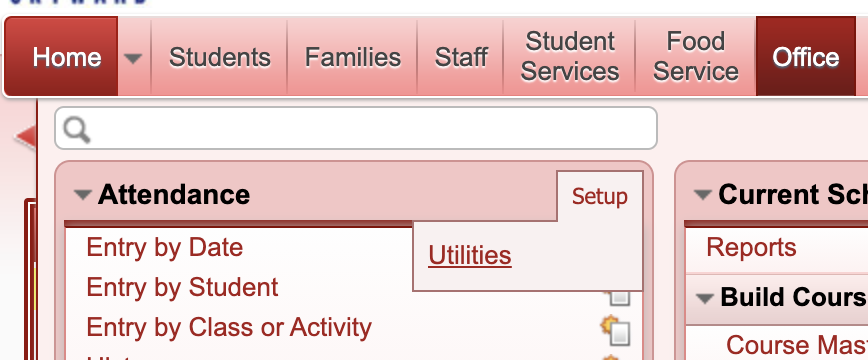
1. Go to the Office > Attendance > Setup > Utilities
2. Click the “Mass Add For a Single Day” utility.
3. EdTech has created a template called “Remote Learning”.
4. With the “Remote Learning” template highlighted, click “Processing List” on the right.
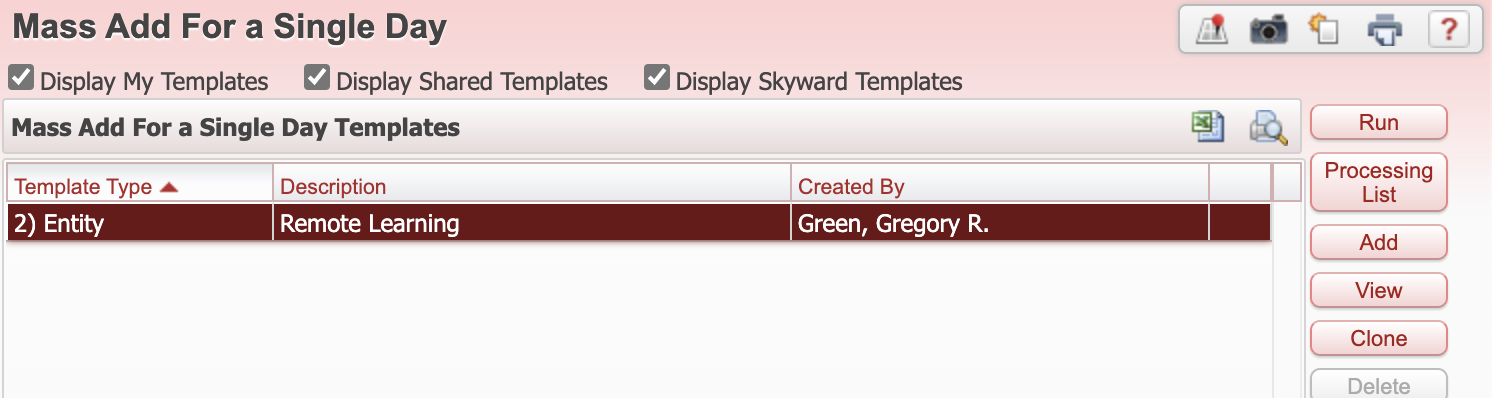
5. If you do not use the Processing List and click “Run” instead, ALL students in your building will be marked as Remote Learning for that day.
6. In the list of Processing Lists displayed, you will see 3 reports at the top that begin with 00. Based on the day of the week, select the list to mark the students Remote Learning for the correct day.
7. These lists are updated nightly based on the open Method of Instruction record for the student.
8. With the correct list selected for that day, click “Print” on the right-hand side.

9. Once this completes, all Remote Learning students will have an attendance record of V entered for that day. V is the code that has been created to record Remote Learning. Teachers have the ability to change students from Remote Learning to Absent, Present or Tardy within their normal attendance screen. Teachers also have the ability to change a student’s attendance for the previous 5 school days within their attendance screen.
Teachers’ new view of attendance
The teachers’ view of attendance will change with this procedure, as shown below.
1. Teachers will see a new column for their daily attendance reporting called “Remote Learning”.

2. By running the Mass Add utility, you are pre-filling that column for them, however, they have the ability to change to a different attendance code or to change a Present student to Remote Learning.
3. If a teacher scrolls to the right they will see some of the attendance days are editable.
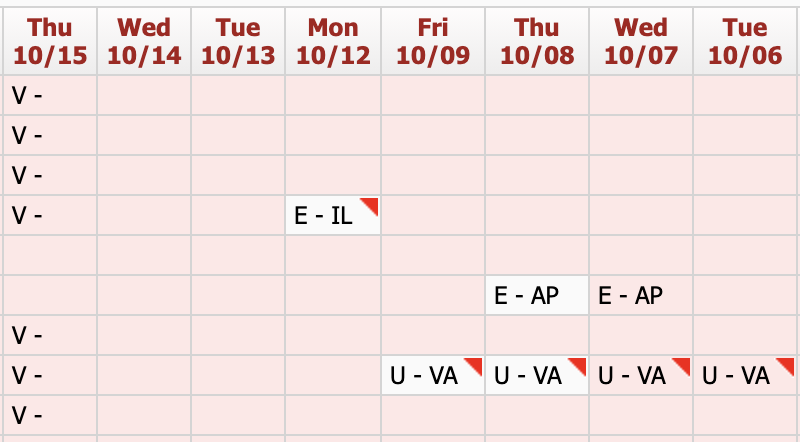
4. If a teacher clicks on one of the editable dates (they can go back 5 school days) they will see the screen below.
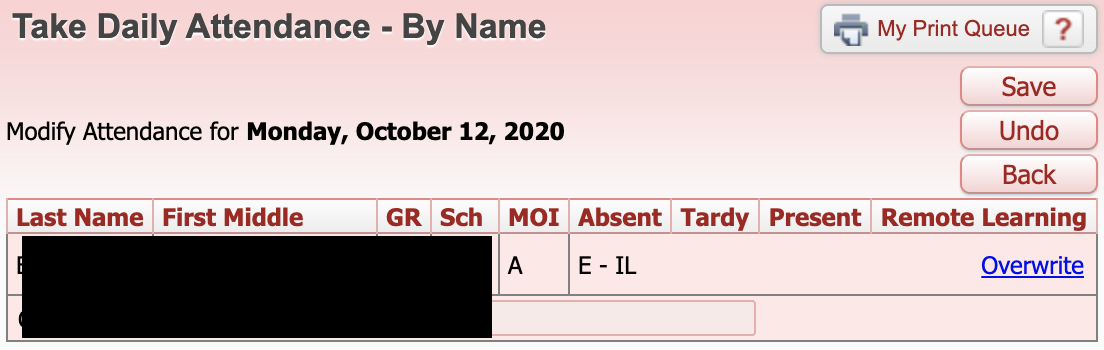
5. Teachers can click “Overwrite” and it will allow them to change that day’s attendance.
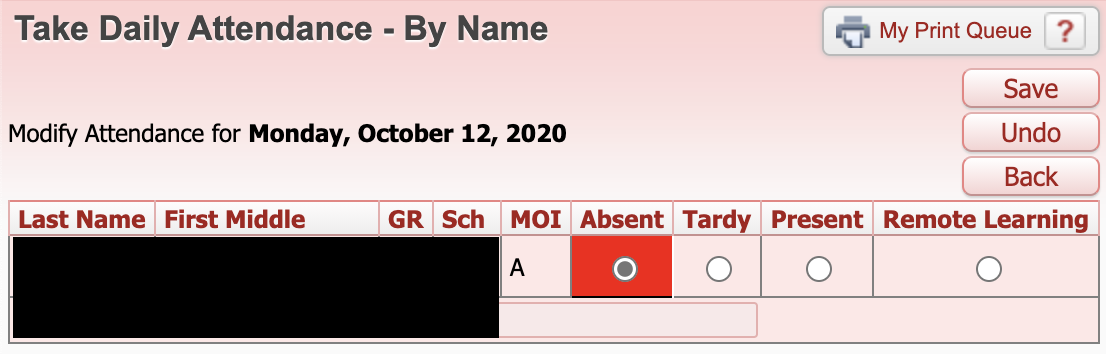
6. A teacher can also click on a day when a student did not have attendance entered and change the student from Present to a different attendance code.
If you have any questions about this please email edtech@molineschools.org